How to Prepare a BOM for PCB Component Sourcing
Direct answer: A BOM for PCB component sourcing should identify one clear purchasing intent per line: manufacturer, exact orderable part number, description, quantity per assembly, reference designators, package or footprint context, population status, approved alternates, and any genuine source, lifecycle, date-code, or traceability restriction. Version the BOM with the PCB and placement data used for the same build.
What decision does this guide support?
A sourcing-ready BOM allows a buyer to select the correct item without guessing what the designer meant. It also exposes where engineering approval is still needed before stock is reserved. The goal is not to fill every spreadsheet cell; it is to distinguish controlled requirements from optional information and to make the extended quantity reproducible.
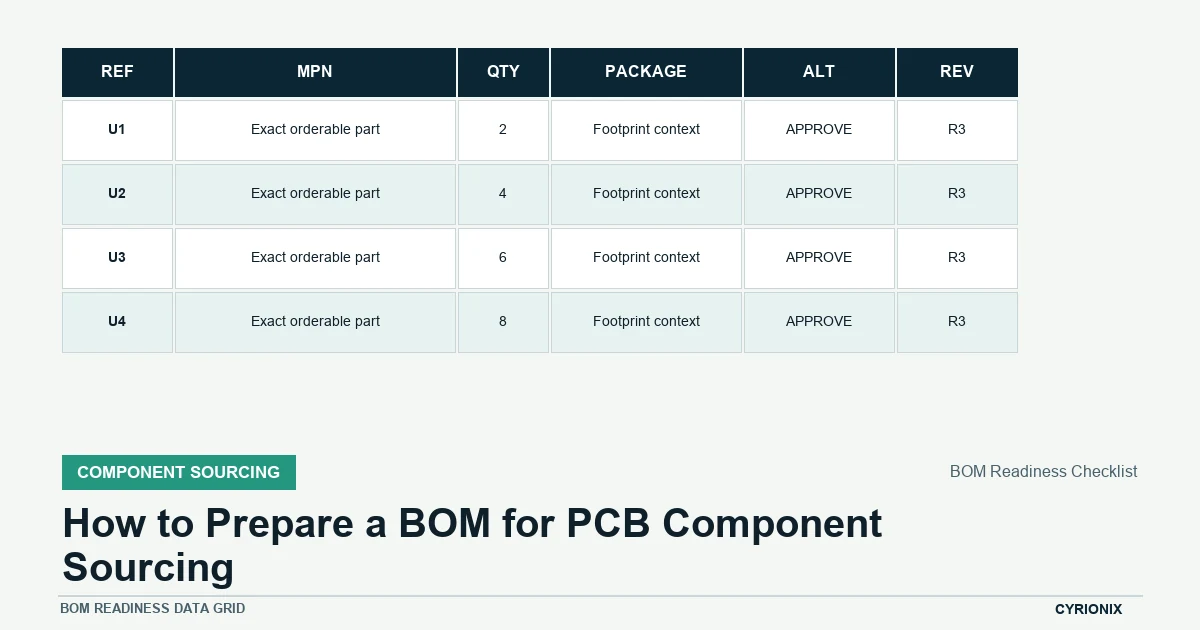
BOM readiness checklist
Run the checklist before requesting a turnkey quotation or authorizing purchases. Any hold condition can create a wrong buy, an unplanned substitution, or a quantity mismatch.
| Checklist item | Required evidence | Hold condition |
|---|---|---|
| Part identity | Provide manufacturer and exact orderable manufacturer part number. | A description could map to multiple components. |
| Design context | Include reference designators, quantity per assembly, package, and footprint context. | Purchasing quantity cannot be reconciled to the PCB. |
| Population | Mark DNI/DNP and variant rules explicitly. | Blank cells are expected to communicate intent. |
| Alternates | List pre-approved alternates or state no substitute; never imply silent equivalence. | Approval authority is unclear. |
| Supply notes | Record lifecycle, packaging, date-code, traceability, or source constraints that truly apply. | A requirement appears only after quotation. |
| Revision | Version the BOM with the complete manufacturing baseline. | The buyer cannot identify the effective BOM. |
Give each line one purchasing intent
Group identical MPNs when they share the same population and sourcing rule. Separate lines when variants, approved sources, programming, finish, tolerance, or other requirements differ. Avoid combining a generic family name with several possible orderable parts because the buyer cannot know which suffix controls package, temperature range, reel size, or qualification.
Provide exact identification fields
The manufacturer name and manufacturer part number should be the primary identity. Add a plain-language description as a cross-check, not as a replacement. Supplier SKUs can be useful for an approved source but should not obscure the underlying MPN. Preserve leading zeros and text-formatted identifiers when exporting from a spreadsheet.
Connect the BOM to the physical design
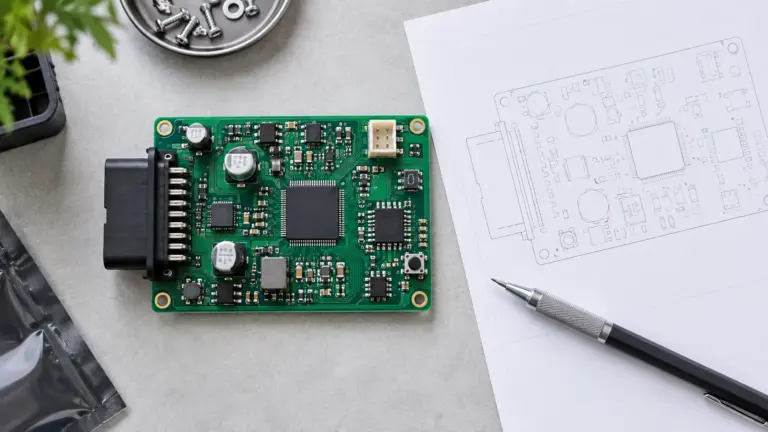
Include reference designators and quantity per assembly, then reconcile the total against the placement data and schematic. Package or footprint context helps flag a wrong suffix before purchase, but it does not make electrically different parts interchangeable. Mark DNI or DNP positions explicitly; empty quantity or reference cells are too ambiguous to carry population intent.
Define alternates as engineering decisions
List only alternates that have been reviewed for the intended circuit and footprint, or state “no substitute.” A candidate substitute needs comparison of electrical limits, package, pinout, thermal behavior, timing, firmware interaction, lifecycle, and any product-specific compliance effect. Name the approver and record approval against a BOM revision.
Add supply and traceability notes selectively
Use notes for requirements that materially change purchasing: approved distributors, customer-nominated sources, packaging, moisture sensitivity, minimum shelf life, date-code restrictions, lot traceability, or special documentation. Broad restrictions can reduce availability and increase cost, so include them only when the product or quality plan actually requires them.
Control revision and quotation changes
Give the BOM a revision, release date, project or assembly number, and variant. When a sourcing decision changes, issue a controlled update or a documented deviation that identifies affected units. Before order, compare the quoted MPN and quantity to the released BOM instead of relying on the old quotation description.
A sourcing-ready BOM review
- Normalize identities. Resolve descriptions, manufacturer names, MPNs, and population rules at line level.
- Reconcile quantities. Confirm references and quantity per board against the intended variant and build quantity.
- Close commercial exceptions. Review stock, MOQ, alternates, source restrictions, and approval status before purchase.
BOM preparation questions
Can a distributor part number replace the manufacturer part number?
It should normally be an additional source field. Distributor numbers can change by region or packaging and make comparison across sources difficult; the manufacturer’s orderable number is the more stable product identity.
How should DNP parts be represented?
Keep the reference designators visible and mark their population status explicitly for the applicable variant. This lets engineering, purchasing, and assembly reconcile why the footprint exists but no part should be bought or placed.
Should pricing be included in the engineering BOM?
Target or approved pricing may be useful, but live quotation data is usually better maintained in a purchasing view or costed BOM. Do not let an old price override the released technical identity or approved source rule.
Related Cyrionix resources
For sourcing controls beyond the spreadsheet, read the PCB component sourcing guide. The PCB assembly file checklist explains how the BOM fits the full release package.
Technical references
- Altium ActiveBOM verification documentation
- Altium substitute-component documentation
- KiCad fabrication and position-file documentation
Is the BOM ready to buy? Submit the BOM and build quantity for a component-sourcing review.